Change your subscription plan
Log in to your Plausible account. In the top right menu, click your account name → Account Settings.
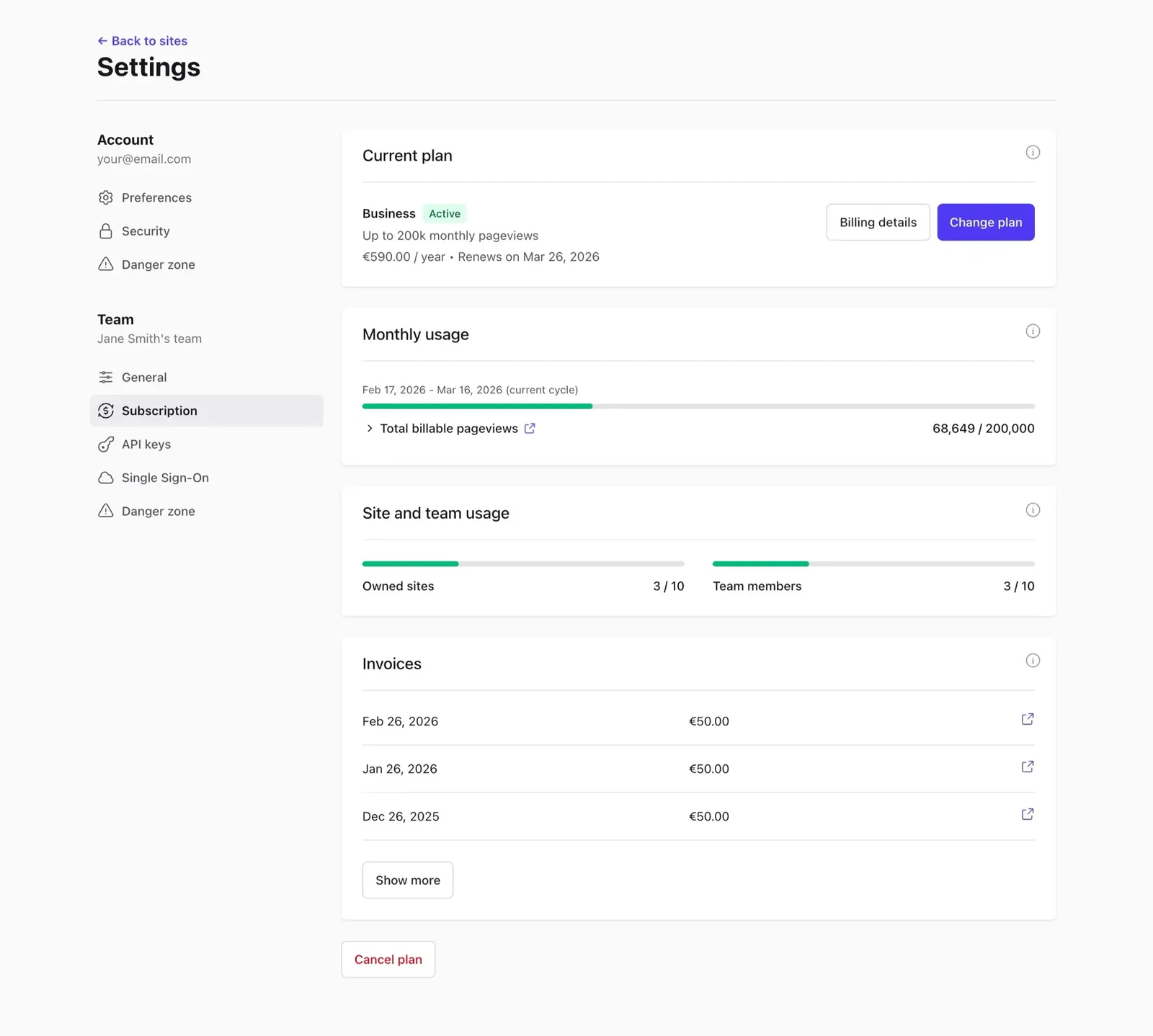
Go to the Subscription section and click the Change plan button.
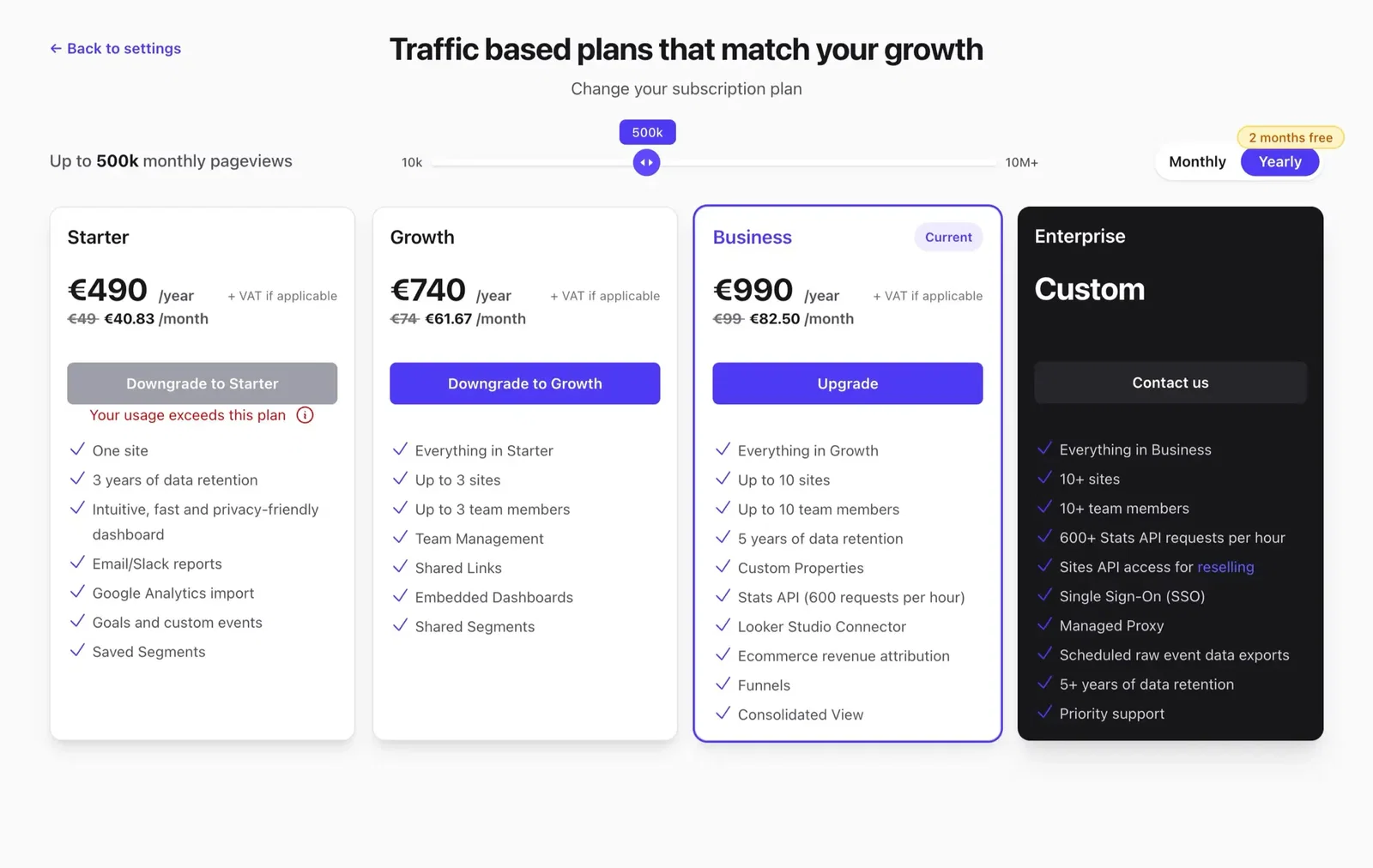
Select your new plan, tier and billing frequency (monthly or yearly), then click Preview changes.
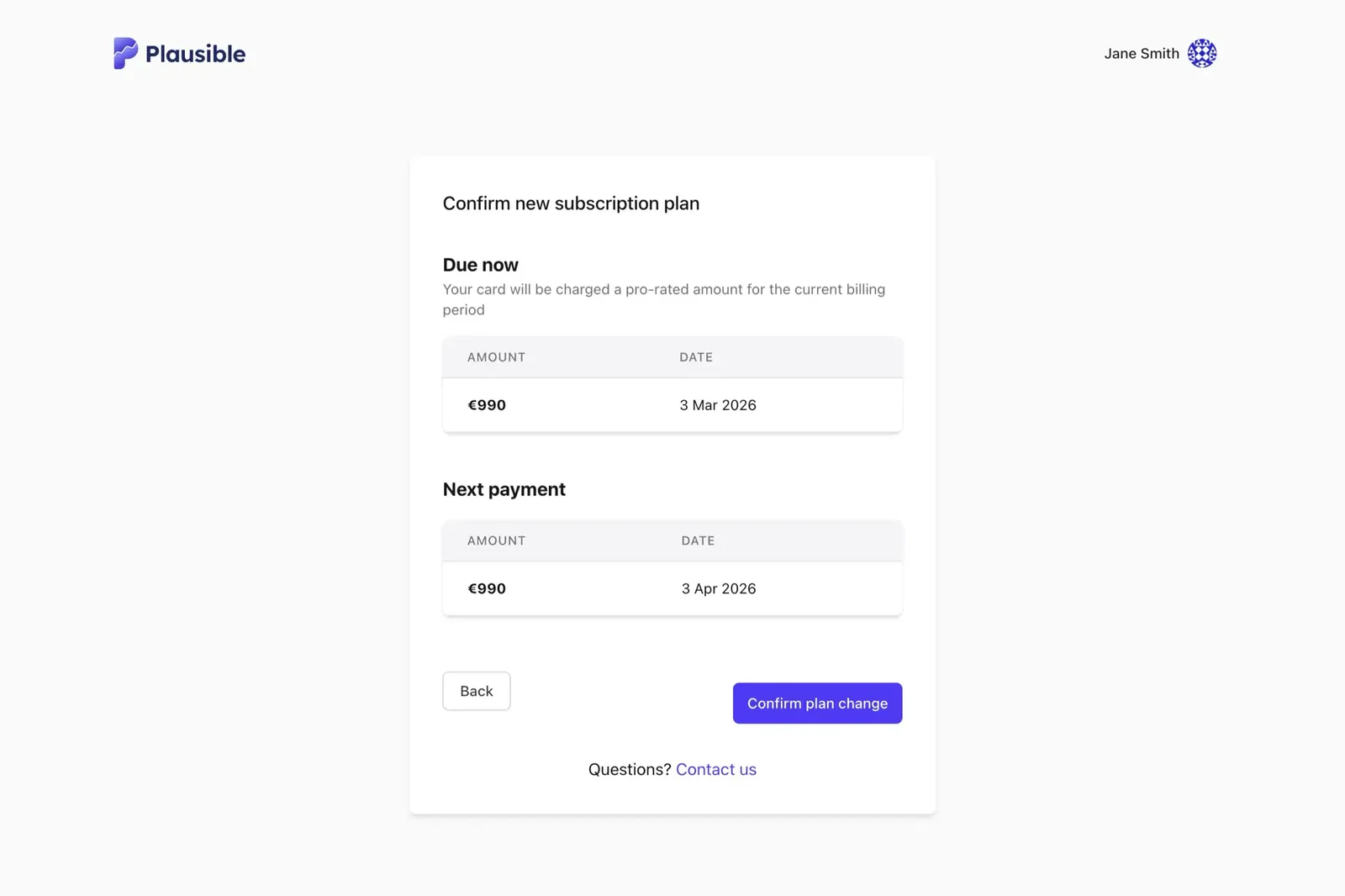
You'll see a summary of the change:
- Immediate charge - a pro-rated amount reflecting what you've already paid and the time remaining on your current cycle. A negative amount means you have a credit balance that will automatically reduce your upcoming payments until it's used up.
- Next renewal - the date and amount of your next regular payment.
Click Confirm plan change to apply.
Your subscription renews automatically and you can change or cancel at any time.
Why a plan shows "Your usage exceeds this plan"
You can't choose a plan that includes less than your account uses. Hover over the message to see which limit it is: sites, team members or monthly pageviews.
- Sites or team members: remove the sites or team members above the plan's limit, then choose the plan.
- Monthly pageviews: we look at your last two complete billing cycles. The plan stays unavailable while both of them went over its pageview limit, with some leeway above it. As soon as one of the two cycles fits, you can choose it. On a trial, your pageviews over the last 30 days are used instead.
If a one-off traffic spike or bot traffic is keeping you from the plan that fits your usual traffic, contact us.
Not sure which tier fits? Check your current usage in the Subscription section. You can also see Choose the right subscription for guidance on how usage is calculated.
Dealing with a traffic spike? You can upgrade now to restore access and downgrade again once traffic drops. See Traffic spikes and overages for how it works.